

Have you ever wanted to copy text on your android and paste it on your pc or vice versa? Google has been adding a lot of useful features to its cross-platform Chrome browser over the years and now I can show you how to easily copy text, links, and even whole browser tabs between your desktop and your Android mobile devices.
You’ll have to be using the most recent chrome on these devices, signed in to the same Google account.
First, open chrome and go to this url: chrome://flags. In the search box at the top of the page, enter ‘clipboard,’ you should see three settings.

Set all three to Enabled in the drop-down menus. Chrome will now prompt you to relaunch your browser, do so.
Next, open chrome on your Android device and follow the same steps, i.e search for ‘clipboard’ on the flags page, and enable the following setting: ‘Enable shared clipboard feature signals to be handled.’ Relaunch your browser.

You’re good to go! Here’s how to use the features you just activated:
Text
Highlight any text on your chrome on pc, right-click to bring up the context menu. Choose Copy to your devices, and select your target device in the list there.

You will get a notification on your phone and the selected text will be available in your mobile device’s clipboard, so you can paste it just as you would any other content that’s in your clipboard.
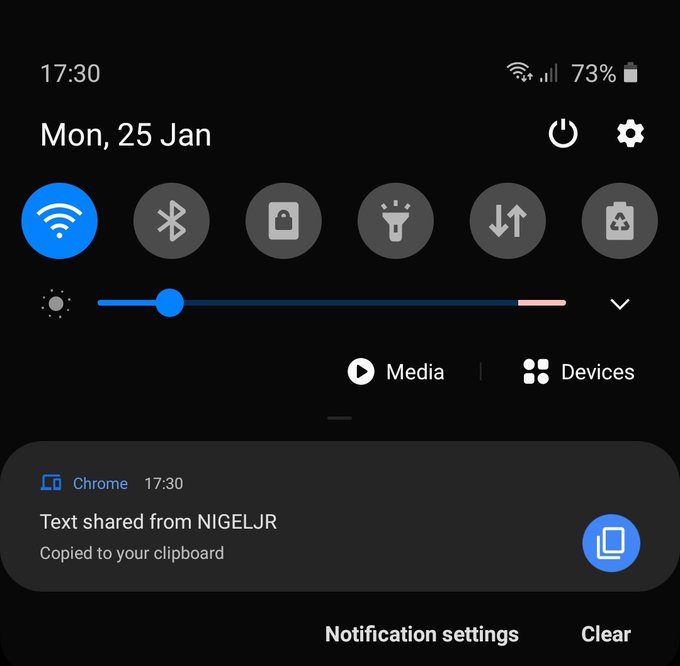
You can also share text from your phone to desktop or another phone by highlighting any text on the phone, click share, and then select chrome and your phone will list all devices your devices with chrome for you to select.


Links
To send a link from any web page on your desktop browser to your Android device, right-click a link and choose to Send to your devices in the context menu that pops up.
Select your device in the menu there, and it’ll show up as a notification on your device.
Tabs
The same concept applies to a browser tab, simply right-click on the tab at the top of the screen, choose to Send to your devices in the context menu that pops up, and click on the name of your device.

Follow us on Instagram and Telegram to get instant updates and Keep up with Tech!
Discover more from Techspace Africa
Subscribe to get the latest posts sent to your email.
